The "View All Attachments" Button Gmail Forgot.
Instantly see and download every attachment buried in long email conversations. No more clicking "expand" twenty times just to find one PDF.
How it works
Two simple steps to organize all your email attachments. No configuration needed.
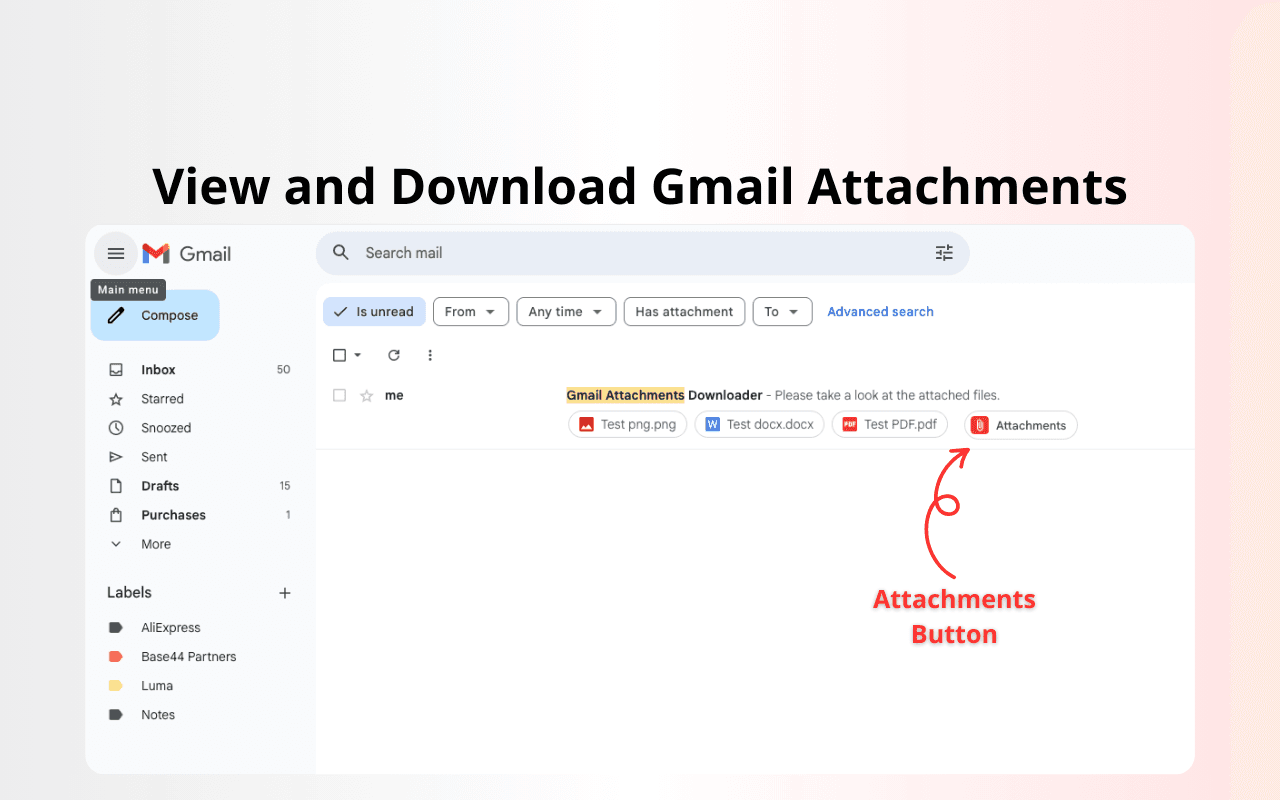
View and Download Gmail Attachments
Click the 'Attachments' button that appears next to any email with files. It integrates seamlessly into your Gmail inbox.
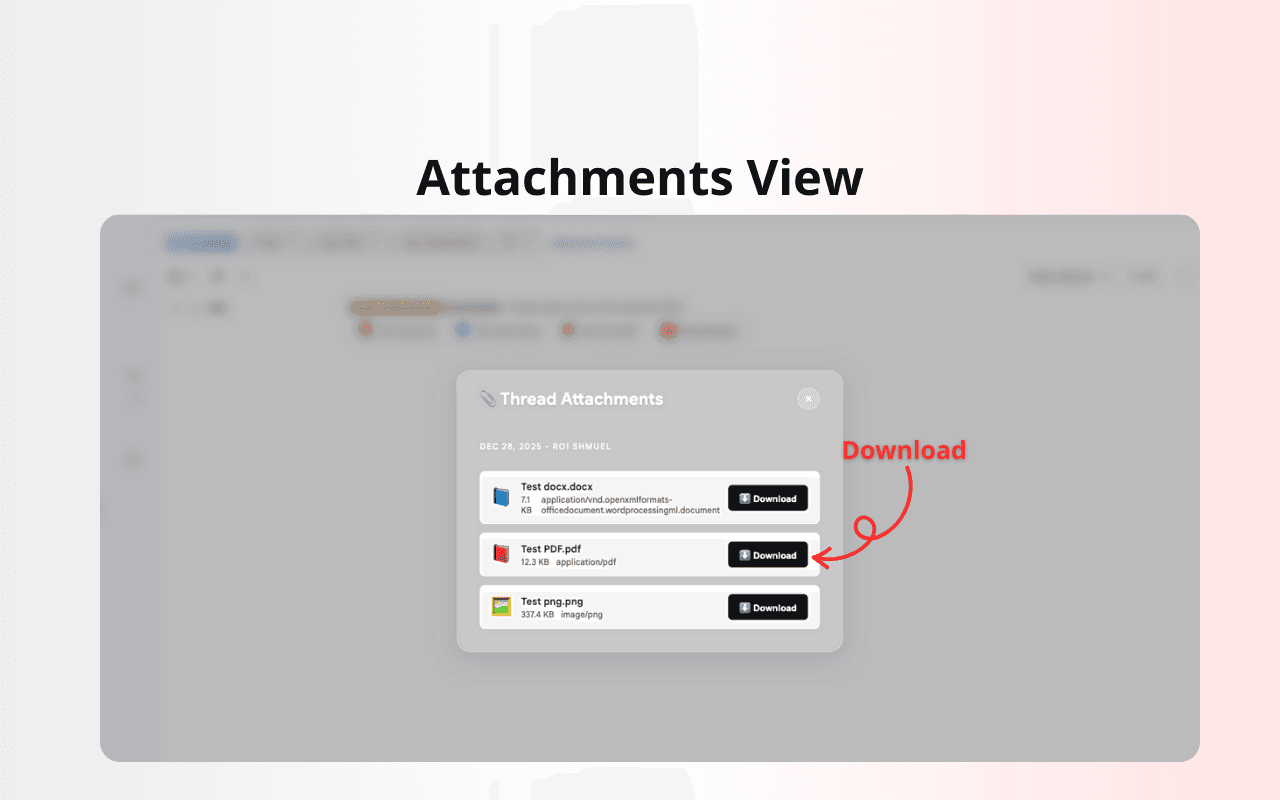
Attachments View
Instantly see all files in the thread organized by sender and date. Download any file with a single click.
Your important documents are trapped here.
The deeper the thread, the harder it is to find what you need.
Built for productivity.
Everything you need to regain control over your email attachments.
Inbox Peek
Hover over any email thread in your inbox to see a quick summary of contained files without even opening it.
Thread Sidebar
A dedicated panel alongside your emails that organizes all thread files chronologically. Clear icons, sizes, and instant downloads.
Secure by Design
We use official Google APIs. Your email body text remains private—we only fetch file metadata to build your organization dashboard.
Stop digging, start downloading.
Ready to clear the clutter? Install Gmail Attachments Downloader for free today and save hours of frustration.
Add to Chrome - It's Free